
Grocery stores
Shelves that turn over daily
Fast POS checkout with barcode scanning, low-stock alerts and stock adjustments.

Point of Sale & Business Management
Connected modules for UK shops: sales and checkout, products and stock, customers and suppliers, income and expenses, profit and reports, in 47+ languages and any currency.


Built for real counters
Corner shops, grocers, retailers, wholesalers and cafés across the UK run on the same connected modules. Each one leans on different parts of POS2026.
Fast POS checkout with barcode scanning, low-stock alerts and stock adjustments.

Products with images, categories and units, discounts at the counter, and full sales history.

Purchase records, supplier parties, the due list for outstanding amounts, and multi-currency settings.

Straightforward POS sales, income and expense tracking, and a dashboard that shows the day at a glance.
One connected system
Products, purchases, stock, sales, customers, suppliers, payments and finances are not separate jobs. In POS2026 each record feeds the next, so your reports reflect the whole business.
Catalogue items and supplier orders set what you have in stock.
Stock levels sit behind every sale you ring up.
Each sale becomes history you can search, discount, and invoice.
Parties carry their payment history and outstanding amounts.
Money in and money out meet product costs in Loss/Profit.
Filter and export sales, customer, product and payment data.
Core features
Every module below is built in, and more are on the way. Pick the one you need today; the rest are already connected. Each has its own page with the full detail.

01 · Sales and checkout
The counter is where the day happens. POS2026 gives you a checkout built for speed and a sales history you can rely on, with invoices ready for every customer.
Record and manage all your sales transactions quickly, view complete sales history, apply discounts, and generate invoices that keep your entire selling process organised.
Handle point of sale transactions quickly and accurately with a fast checkout system that supports many payment methods, barcode scanning, and instant invoice printing for your customers.

02 · Products and operations
Your catalogue, your supplier orders and your stock levels live in one place, so the shelf and the system tell the same story.
Create and manage your product catalogue with images, categories, price options, barcode support, and unit settings to keep your entire product information fully organised.
Manage your purchasing process smoothly by recording supplier orders, tracking delivery status, and keeping accurate purchase history for better cost control.
Manage product stock levels with low stock warnings, automatic adjustment, transfer options, and detailed stock reports that help you avoid shortages and control your inventory.
Manage your entire product inventory and sales efficiently, track stock levels in real time, and generate detailed reports for smarter business decisions every single day.
03 · People and payments
Who bought, who supplied, who still owes you, and what you spent: the people side of the business stays organised alongside the money.
Organise all your customers and suppliers in one place with contact details, payment history, due amounts, and transaction records to build stronger business relationships.
Keep track of all outstanding payments with a clear due list showing customer receivables, payment deadlines, and automated reminders so no amount ever goes forgotten.
Monitor your business income streams in one place with automatic recording, clear reports, and easy tracking that help you see every payment your business receives at a glance.
Record and organise your business expenses with easy categorisation, recurring expense options, and clear reports that give you a complete picture of where your money is going.

04 · Business intelligence
Because sales, costs and expenses are already in the system, understanding profitability does not mean another spreadsheet.
Track your profit and loss accurately with automatic calculations based on product costs, selling prices, and expenses to help you understand exactly how profitable your business really is.
Generate powerful business reports covering sales, customers, products, and payments with customisable filters and export options so you can easily analyse all important data.
Get a complete overview of your business performance with an interactive dashboard showing key metrics, sales charts, revenue trends, and alerts displayed together on one convenient screen.

05 · Global business support
The settings that make POS2026 fit your business rather than the other way round.
Serve customers from around the world with support for over forty-seven languages, making your store truly global and welcoming to everyone regardless of the language they speak.
Support multiple currencies across your business with automatic conversion rates, localised pricing, and currency settings that let your customers pay comfortably in their preferred currency.
Offer flexible subscription plans to your customers with automated billing cycles, recurring payments, trial periods, and easy plan management designed to grow your recurring revenue substantially.
How it works
Set up once, then sell, track, and review from the same place.
Add products, categories, prices, and available stock.
Record transactions, manage checkout, and generate invoices.
Monitor inventory, customer and supplier records, income, expenses, and dues.
Use reports and profit tracking to review business performance.
Take it with you
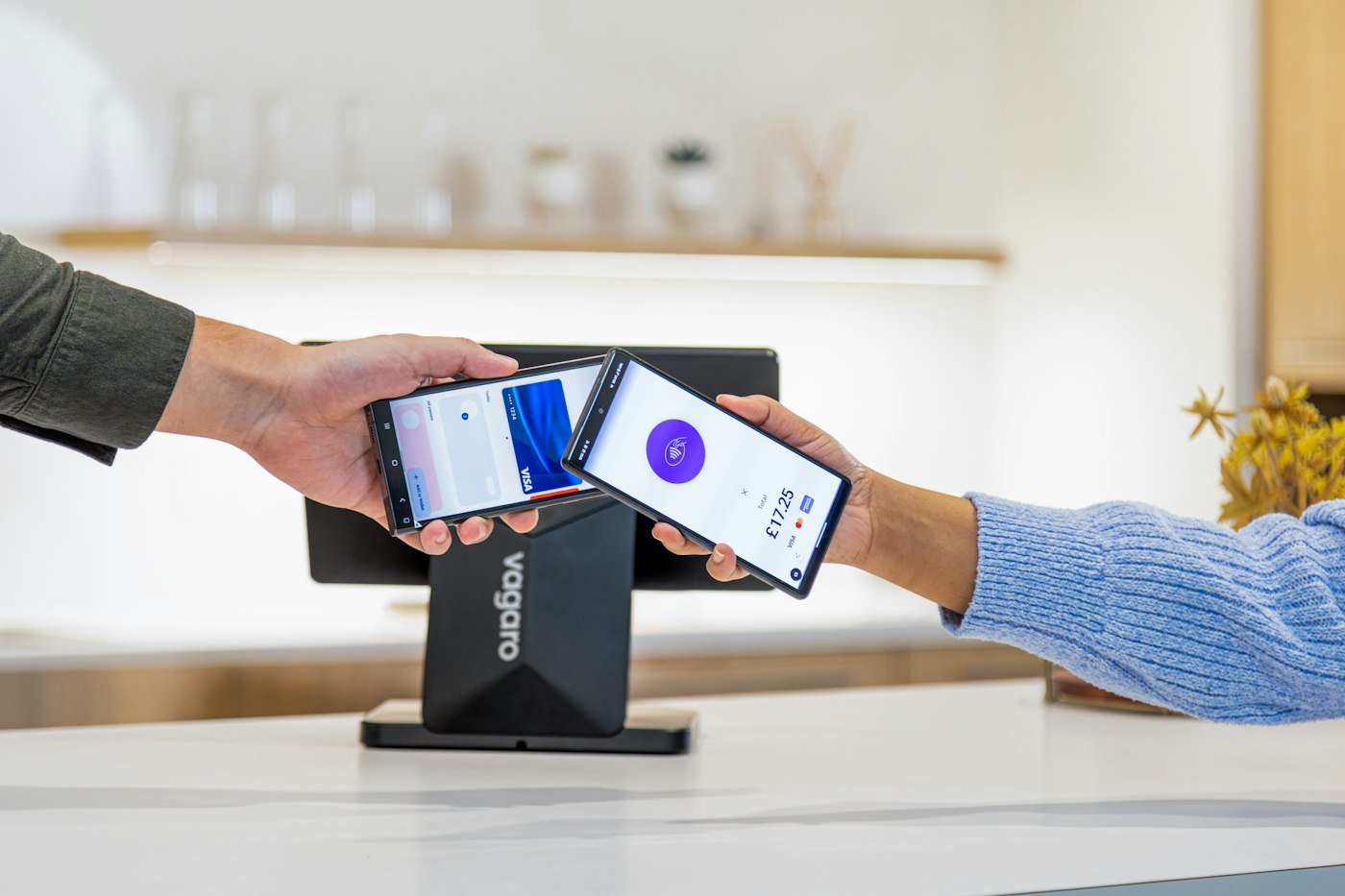
Run the till, check stock and read the day's figures from the device in your hand. One account, the same modules, wherever you are in the shop.
Also available in the browser: sign in on the web.
Business benefits
These are the day-to-day results the features above are designed to support.
Every transaction, discount, and invoice lives in one searchable history.
Low-stock alerts and adjustments help you see what needs attention.
Contact details, transactions, and payment records stay with each party.
The Due List shows what is owed, by whom, and when it is due.
Record money in and categorise money out, then review the reports.
Loss/Profit brings product costs, selling prices, and expenses together.
Filter and export the data you need without piecing it together by hand.
Global readiness
POS2026 supports more than 47 languages and multiple currencies, so the app can match the language and currency preferences of your team and customers.
More than 47 languages are supported in the app, and multiple currencies are available through its currency settings.
Pricing & subscription
POS2026 is offered on a subscription with recurring billing and a free trial to start. Plan names, prices and billing cycles are shown inside the app when you create an account.
Every plan gives you the connected platform described on this page. Choose the billing cycle and plan that fits your business from the subscription area of the app.
Start on a free trial, then plans renew on a recurring billing cycle through Stripe. Multi-branch is available on the plans that include it.
Prices and plan comparisons are not reproduced here until they are verified against the live product.
https://my.pos2026.com/ in a new tab.Talk to us
Tell us about your shop and what you want to organise first. We reply by email.

Unit 19, 1-13 Adler Street, London, England, E1 1EG
Bring sales, stock, customers, payments, and business reporting into one organised workflow.